
When your AI coloring book is ready, click Download PDF for one print-ready file, or Download PNG (ZIP) for a separate image of every page. Both are free to download as often as you like and have no watermark.
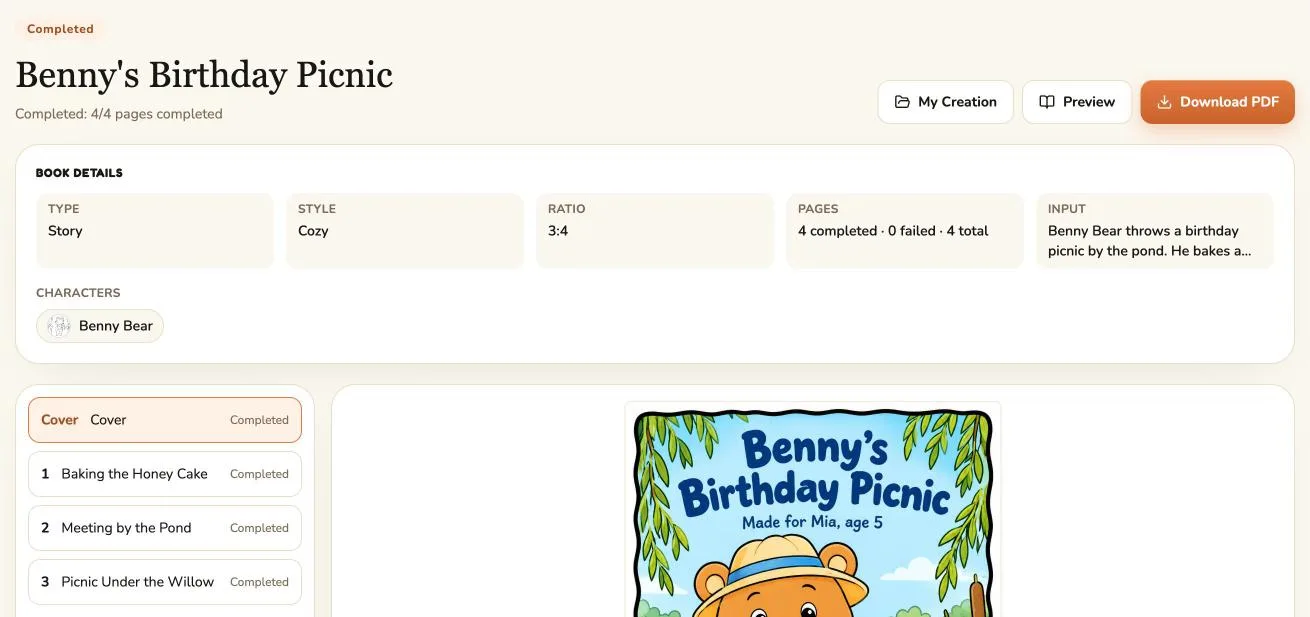
The download options
| Button | You get | Best for |
|---|---|---|
| Download PDF | One PDF: the color cover first, then every page in order, A4 portrait with a margin | Printing at home or at a copy shop |
| Download PNG (ZIP) | A ZIP file with one PNG per page, numbered in reading order (01, 02, ...) | Printing single pages, editing, sharing |
| Download sample PNG | The finished sample pages (cover and page 1) as a ZIP | Checking the sample before unlocking the book |
Where to find the buttons:
- Right after generating: on the "Your book is ready!" screen.
- Later: open My Creation, choose the Coloring Book filter and open the book. Download PDF is at the top right; Preview opens the full-screen reader, which also has Download PNG (ZIP).
The PDF is built on our servers, so a 40-page book downloads as one file instead of dozens of images. Building it can take a little while for a long book; the button shows Building PDF... until the download starts.
If some pages aren't finished
Only finished pages are included. If any page failed or isn't finished yet, you'll see a warning first, and you can continue or wait. To fix a failed page, see how retries and refunds work.
Printing the PDF
The PDF uses A4 pages. US printers and copy shops use letter paper, so turn on Fit or Scale to fit in the print dialog, and print single-sided so markers don't bleed onto the next picture. Our guide to printing a coloring book covers paper weight, printing the cover in color, binding, and prices at Staples, FedEx Office and Office Depot.
Download problems
| Problem | Try this |
|---|---|
| Nothing happens after clicking | Wait for Building PDF... to finish; check your browser's downloads list |
| The download fails | Click the button again; on a slow or mobile connection, use Wi-Fi |
| The PDF is missing a page | That page failed or isn't finished; check the page list |
| Pages print cut off or too large | Turn on Fit or Scale to fit when printing |
| You can't find the book | My Creation, Coloring Book filter, signed in to the same account |
For selling or publishing your book, every paid plan includes commercial use; our guide to making a KDP coloring book with AI covers trim sizes and 300 DPI.